Skip links

Designing a Smarter Print Production Workflow

I supported a workflow enhancement for Flightdeck, Staples Print & Marketing’s internal print management software.

Flightdeck is used by Staples associates to manage print orders, review files, track job status, and coordinate production across stores. This project focused on improving the part of the workflow where associates prepare, proof, batch, and send print jobs to production.

The work helped bring more of the production process into Flightdeck, reducing manual steps, improving visibility, and creating a stronger foundation for tracking errors, reprints, and production activity.

Category

Internal Tools / Workflow Design

Focus areas

Workflow analysis, UX research, operational dashboards, dynamic tables.

HEAR THE STORY
0:00 / --:--

01

Behind the Print Counter

Exploring the operational layer behind custmer orders

Staples Print & Marketing offers custom-printed products that are often produced directly inside Staples stores.

Behind each customer order is an associate workflow that connects digital files, product specifications, job tickets, printers, and production timelines. Flightdeck supports this work, but parts of the printing process still happen across multiple tools and manual steps.

02

My Contribution

Supporting a complex internal platform

I supported Flightdeck as part of the broader product design team, contributing to specific initiatives when UX and UI design support was needed.

For this project, I worked with a product manager and engineering partners to understand the production workflow, identify improvement opportunities, and design enhancements that could make print production easier to manage inside Flightdeck.

03

The ask

Finding where the workflow could be improved

The project started with a broad question from the product manager:

How could Flightdeck better support the print production process?

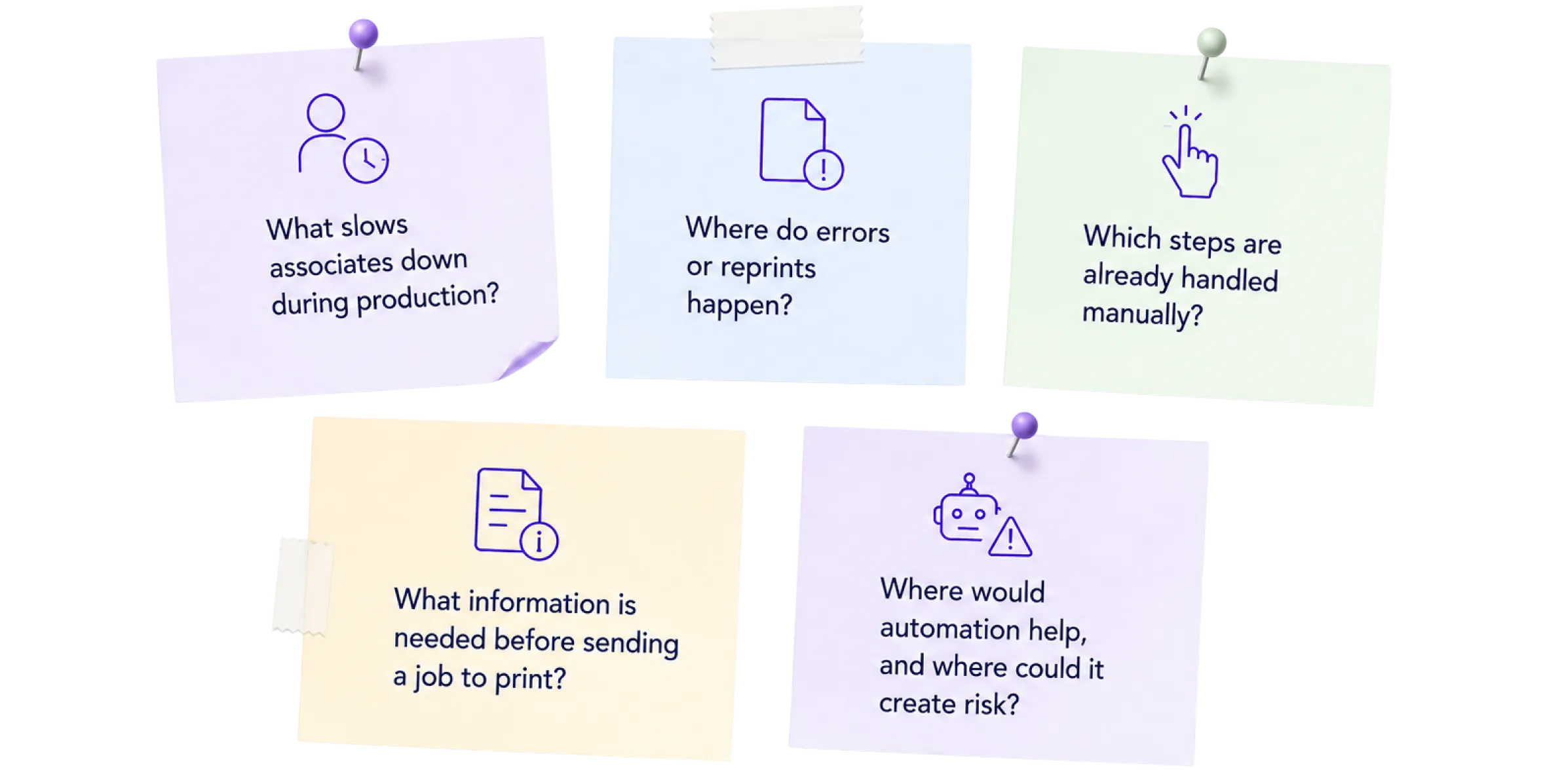
Before proposing features, we needed to understand how associates were actually working inside stores. The goal was to identify which parts of the workflow could be automated, simplified, or made easier to track without disrupting production.

04

Research Planning

Defining what we needed to learn before designing

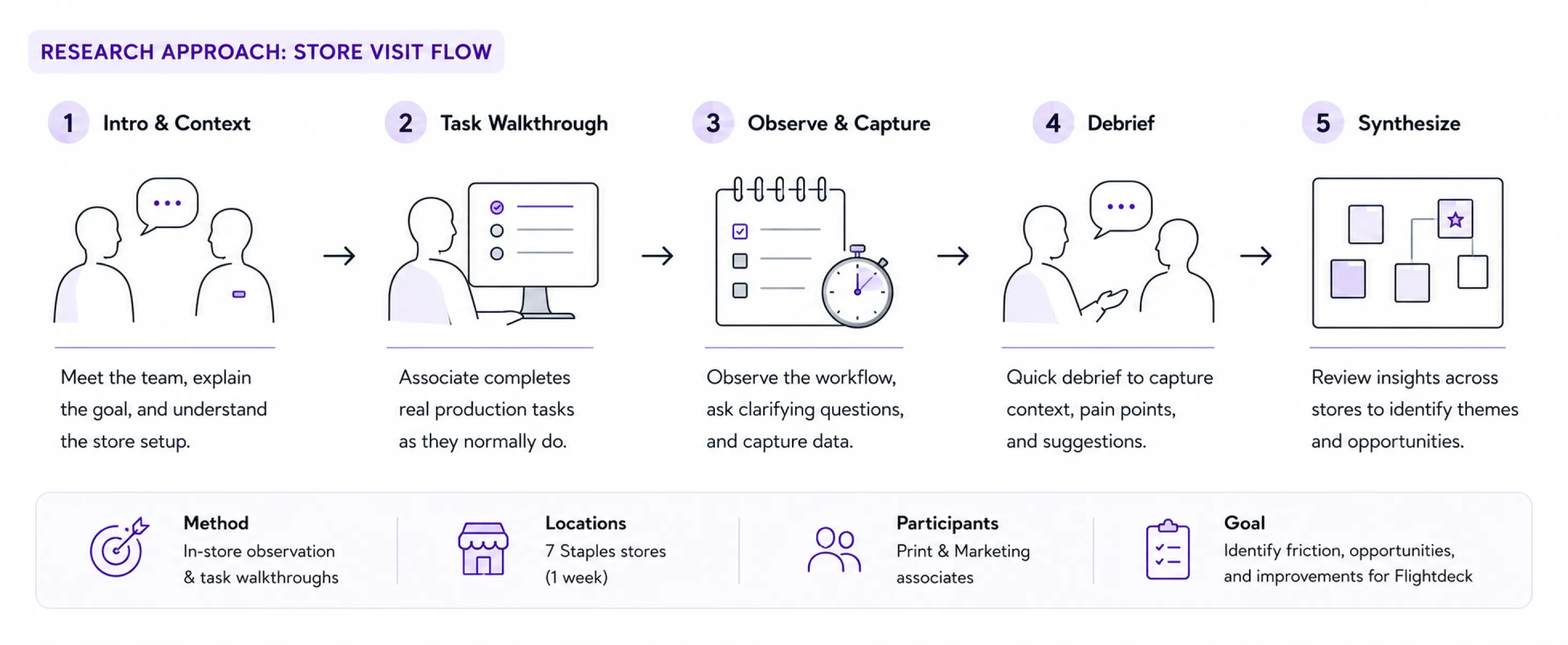
To identify the right opportunities, I proposed a hands-on research approach focused on observing the workflow in the store environment.

I drafted a research plan for store visits, outlining what we wanted to observe, which tasks associates would complete, and how we would capture notes, timing, errors, and workarounds.

05

Store Visits & Insights

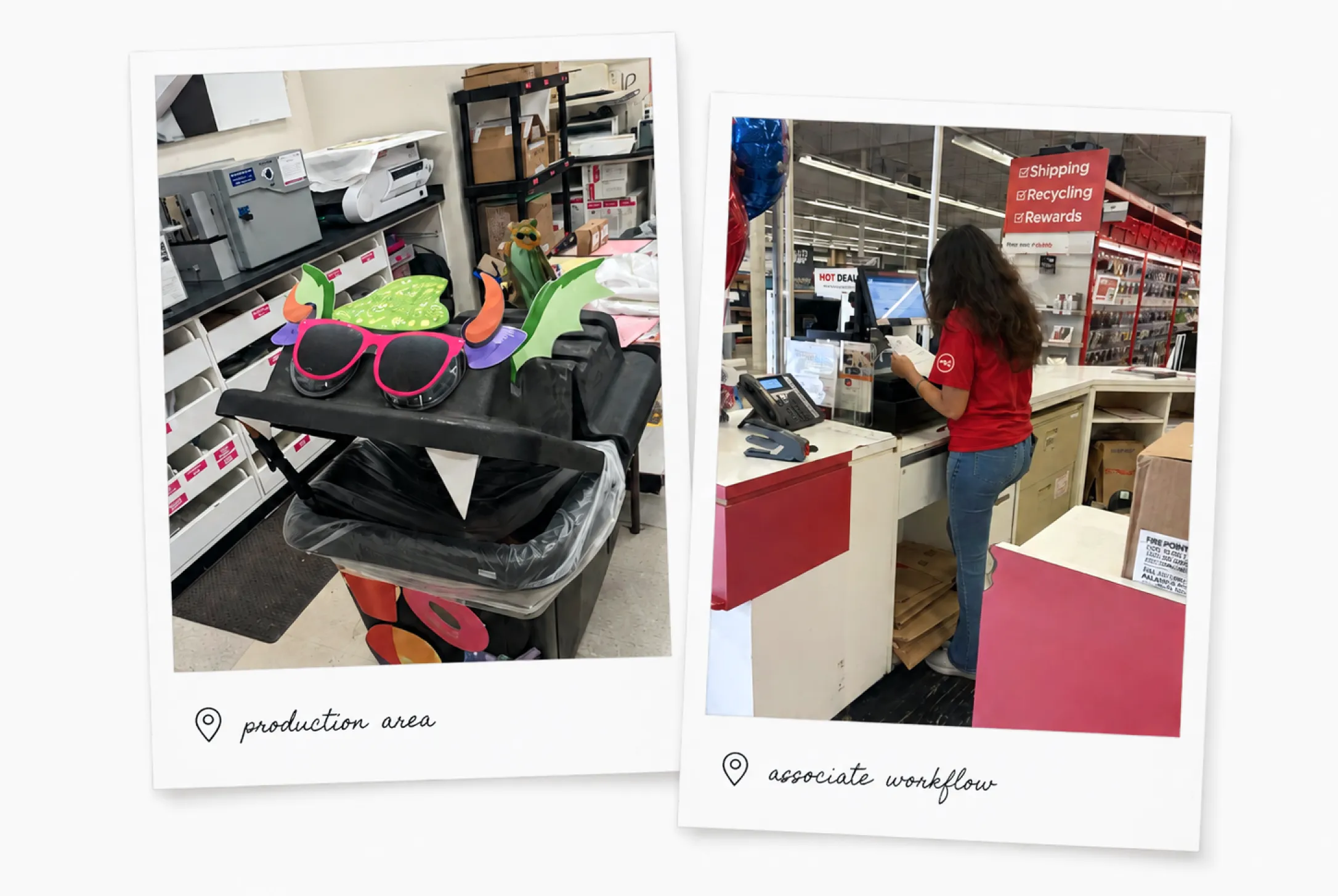
Observing the workflow where it actually happens

We visited seven Staples stores over the course of one week. At each store, we asked associates to print different types of products while we observed, took notes, and timed parts of the workflow.

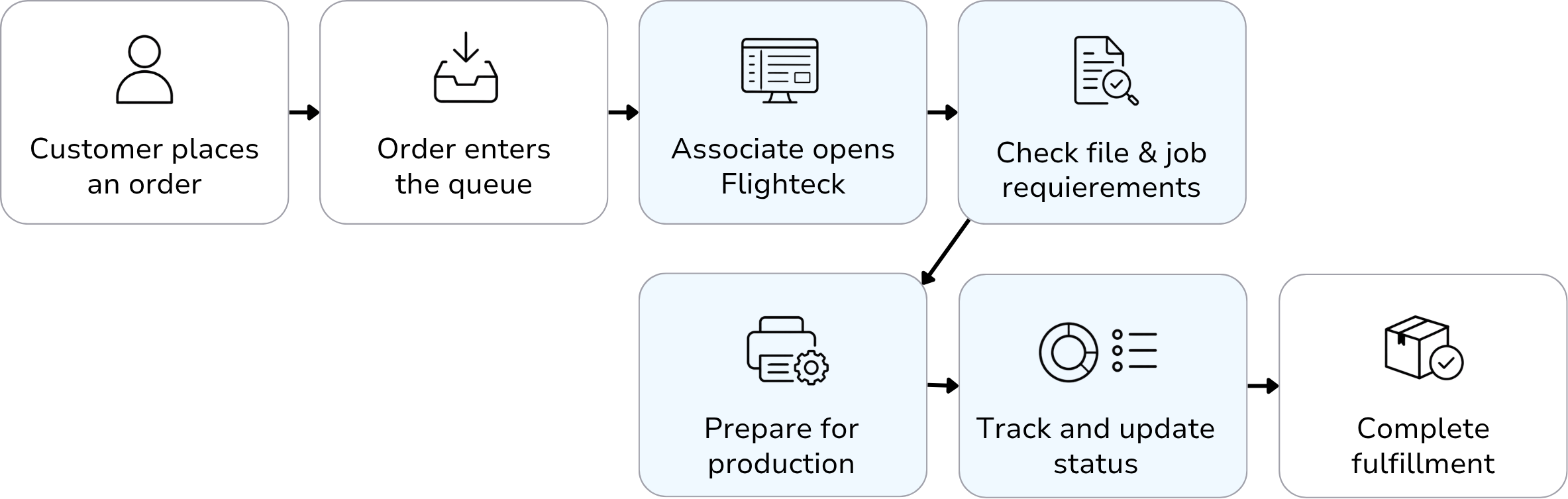
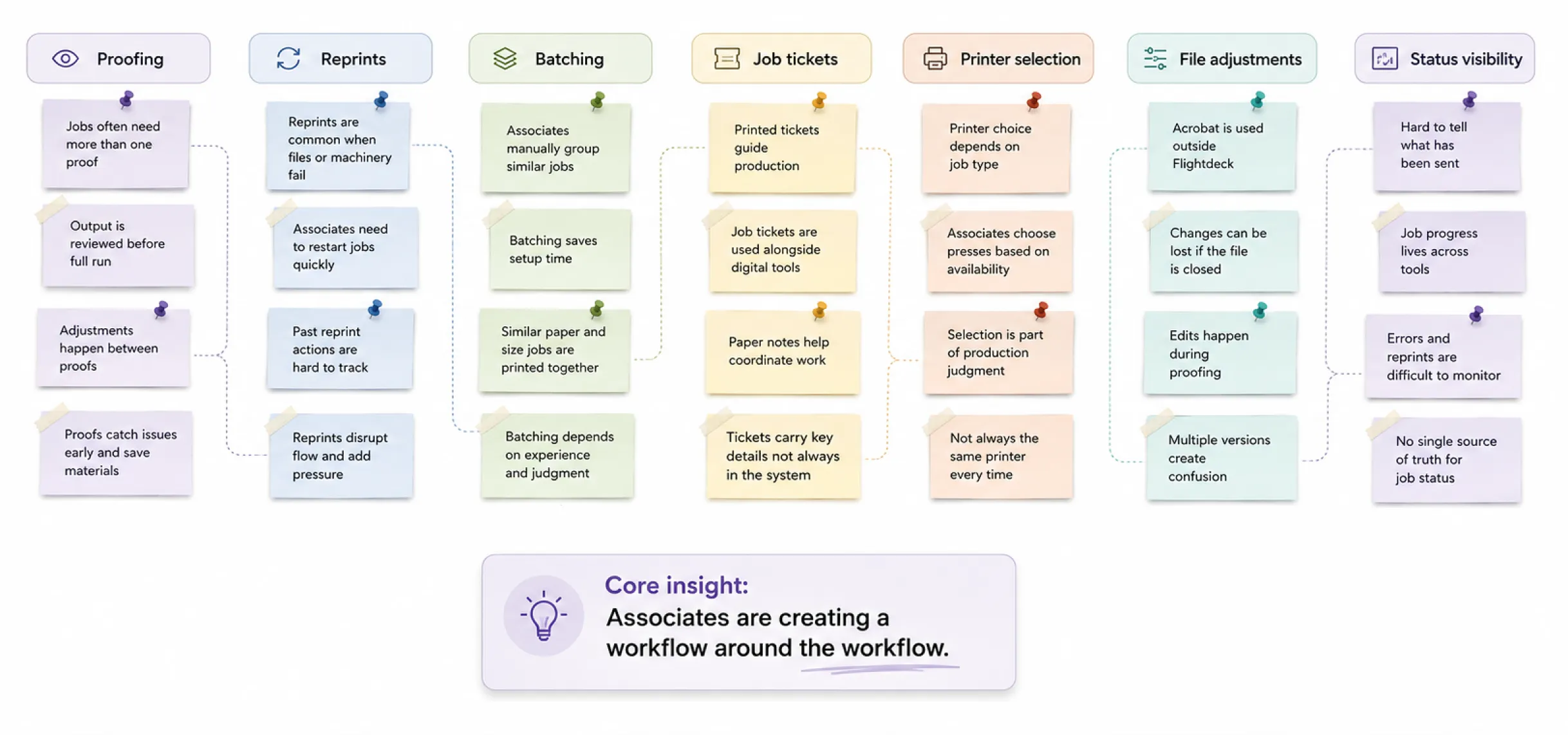
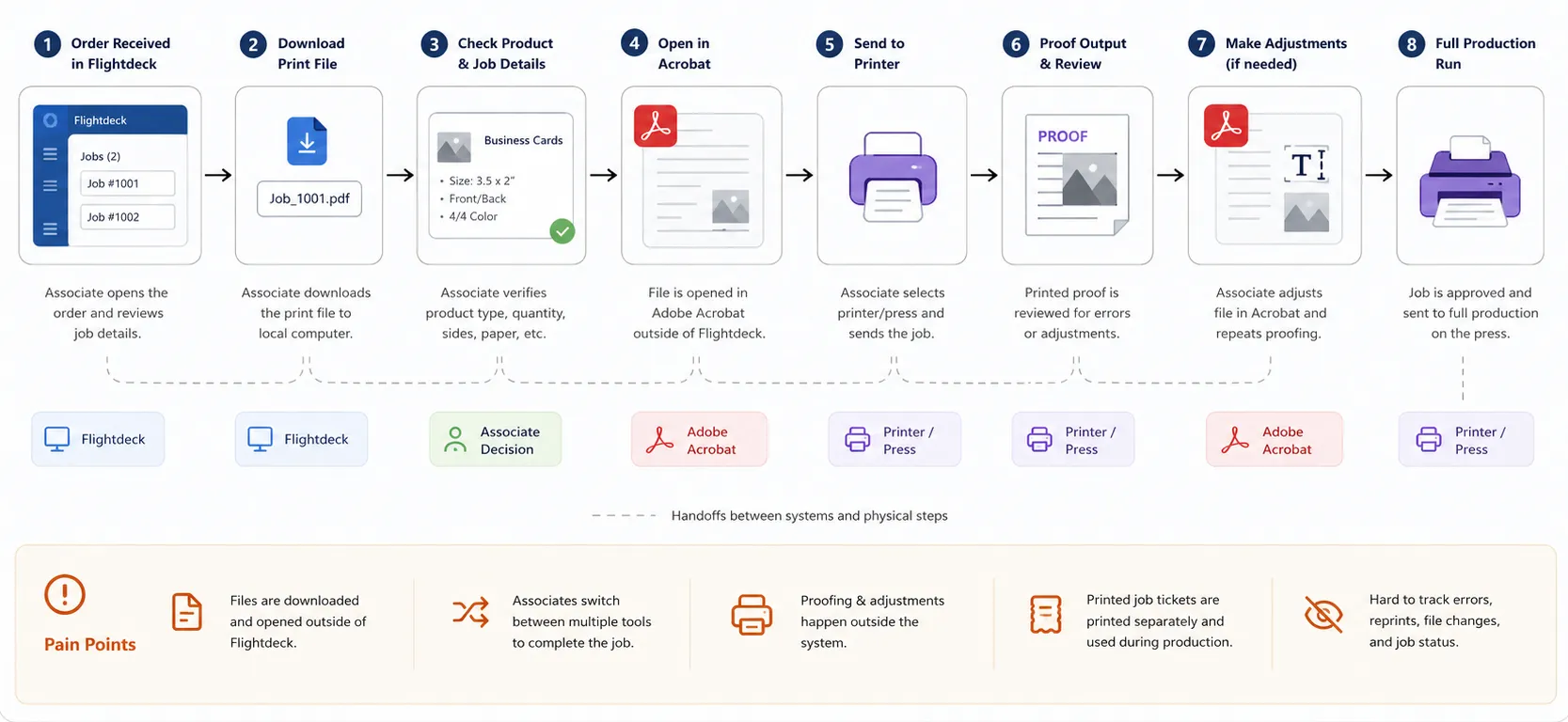
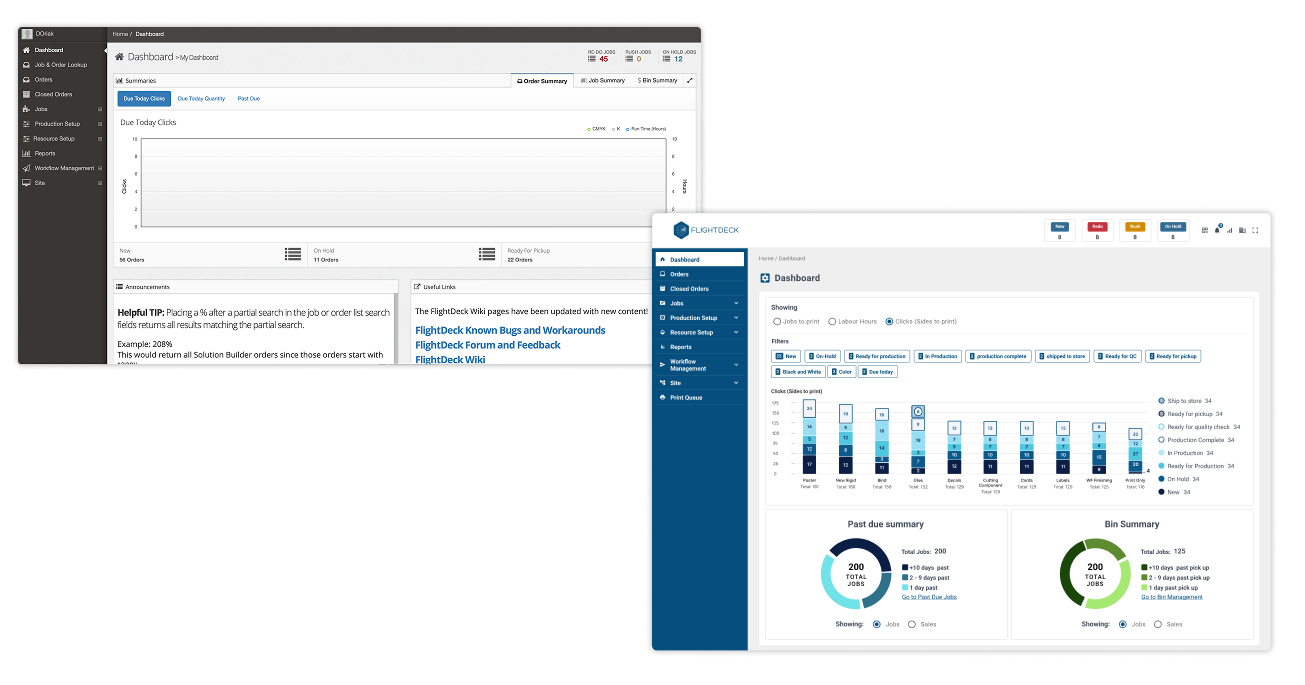
The store visits showed that print production was not a clean, linear process. Associates often needed to proof jobs multiple times, adjust files, choose between printers, cancel jobs, reprint files, and check production details while moving between software and physical equipment.
06

A fragmented process

Understanding the Workflow

The workflow functioned, but it was fragmented. Important decisions often happened outside Flightdeck, which made errors, reprints, file adjustments, and production status harder to track.

07

Defining the Opportunity

Bringing useful workarounds into Flightdeck

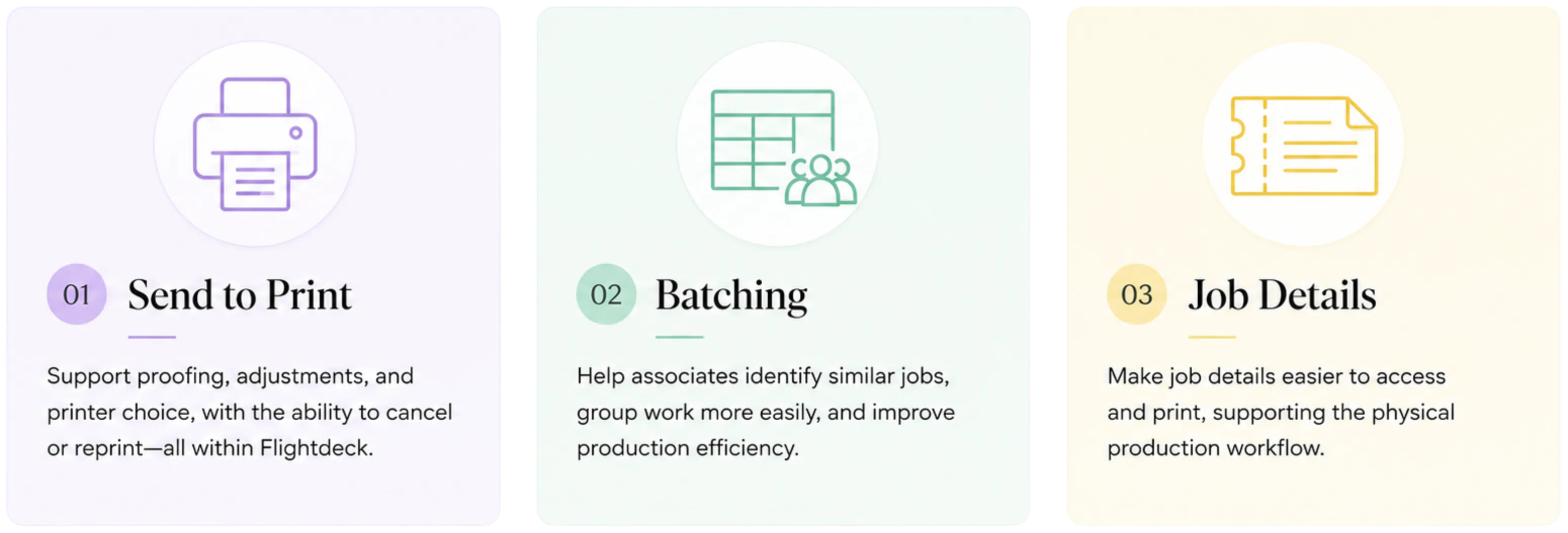
After synthesizing the research, three opportunities stood out.

08

The Solutions

Improving the workflow without removing control

Print production has many exceptions, with files that can present issues and printers that may behave differently, so jobs often need to be proofed more than once, and while associates need speed, they also benefit from flexibility.

Instead of creating a rigid workflow, the solution brought key production actions into Flightdeck while still allowing associates to make decisions based on the job in front of them.

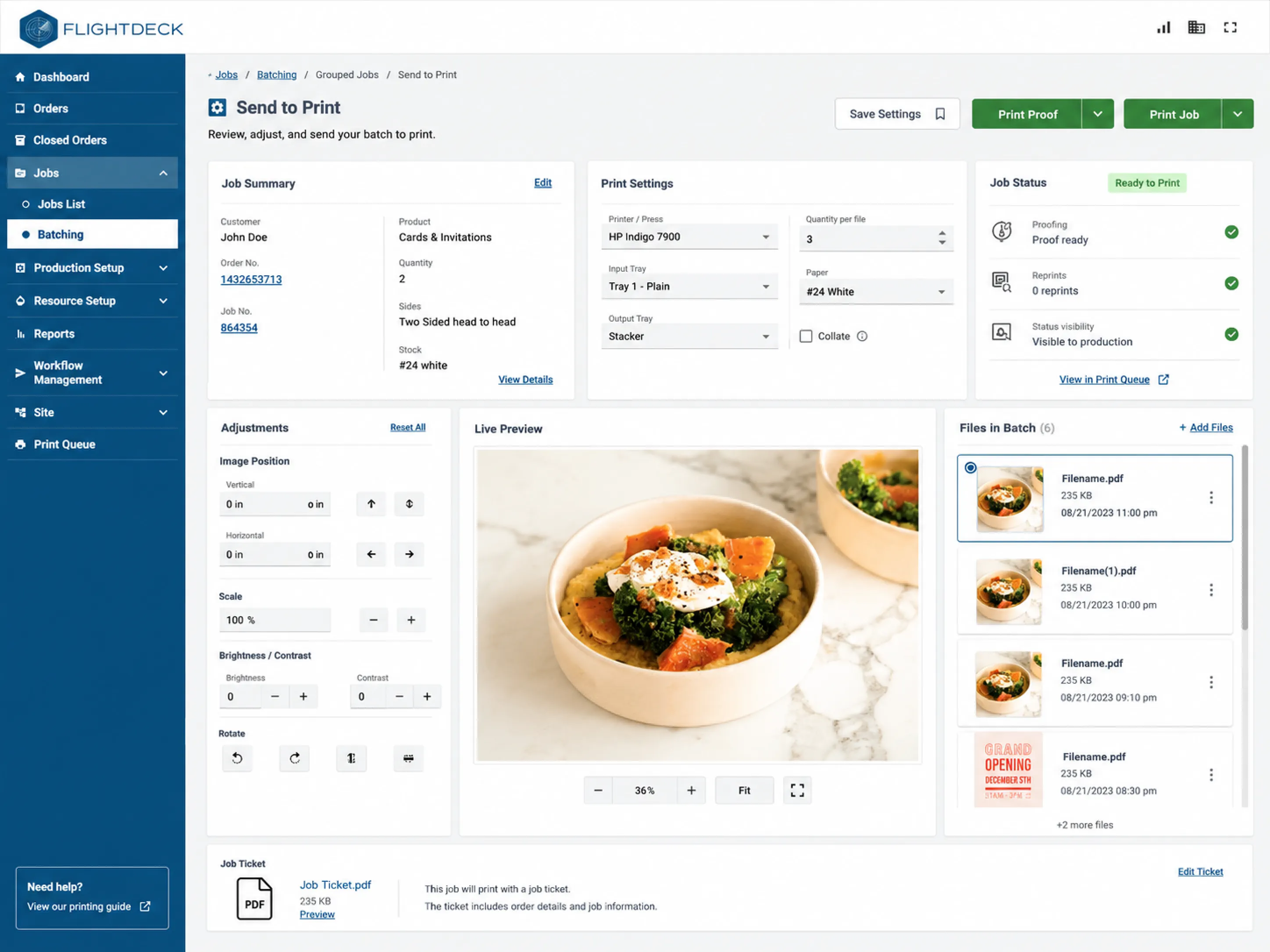
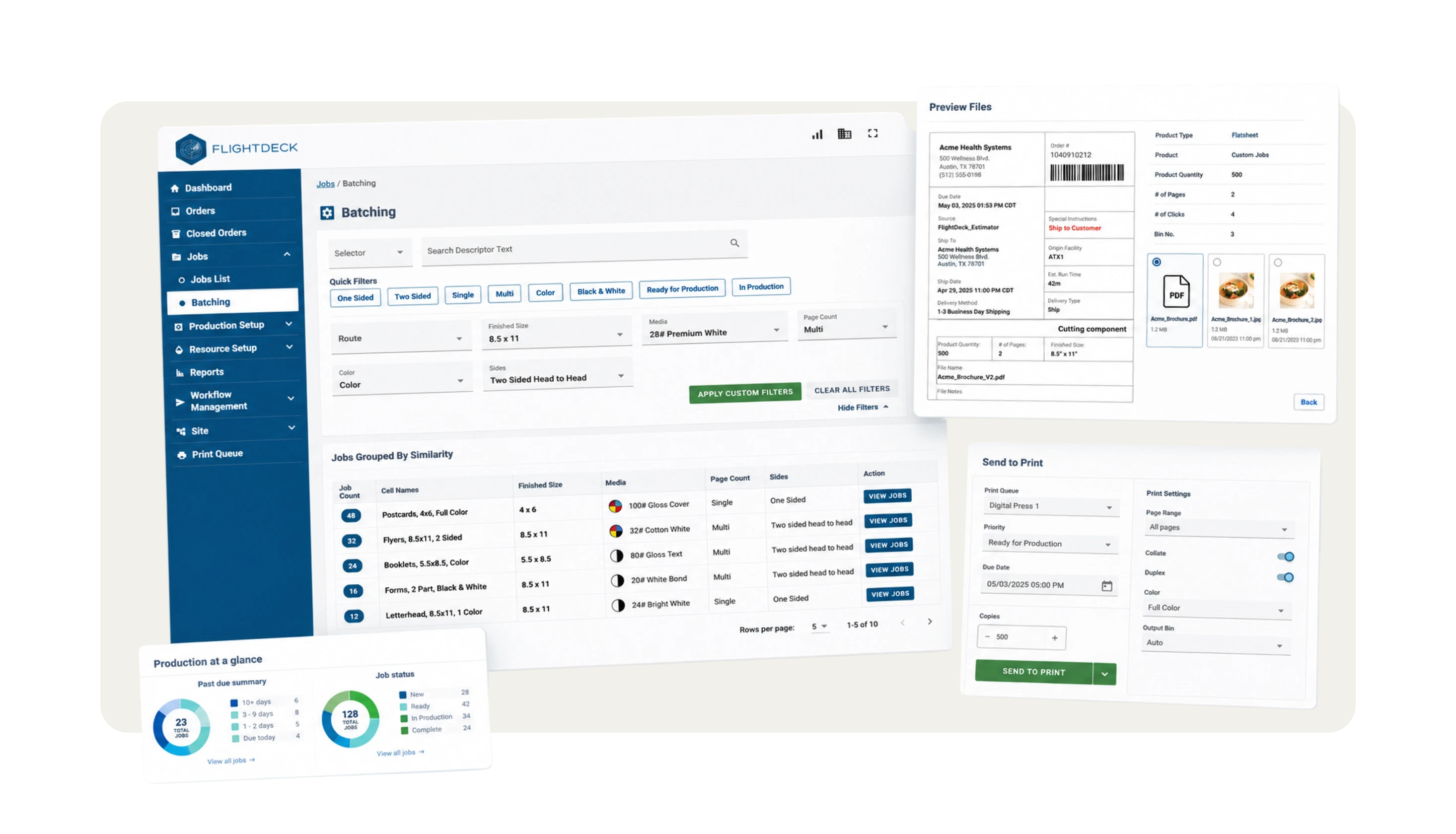
Send to Print

The new flow supported the reality of production: prepare, proof, adjust, resend, and complete.

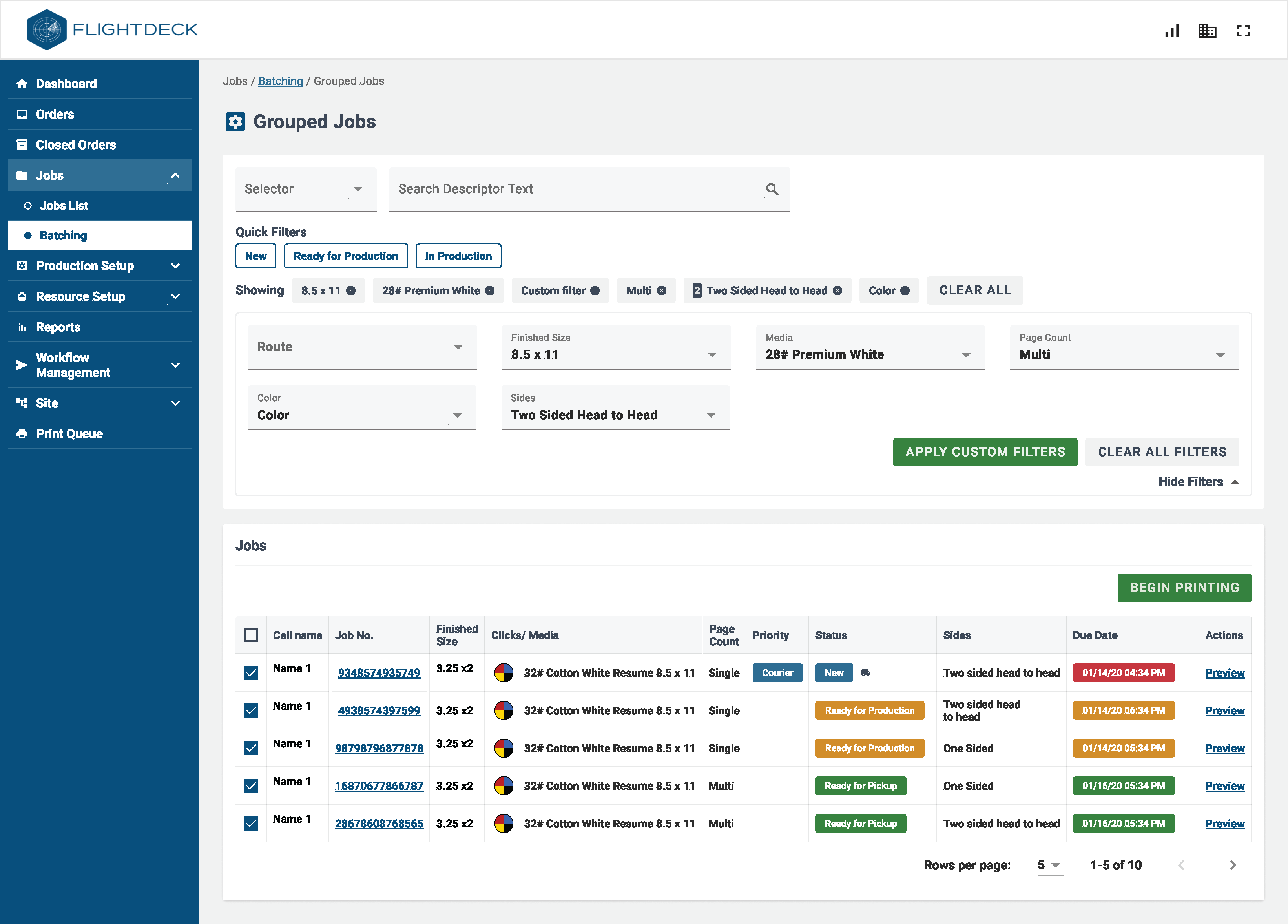
Batching

The batching experience translated into a dynamic table to compare properties, understand priority, and filter the list.

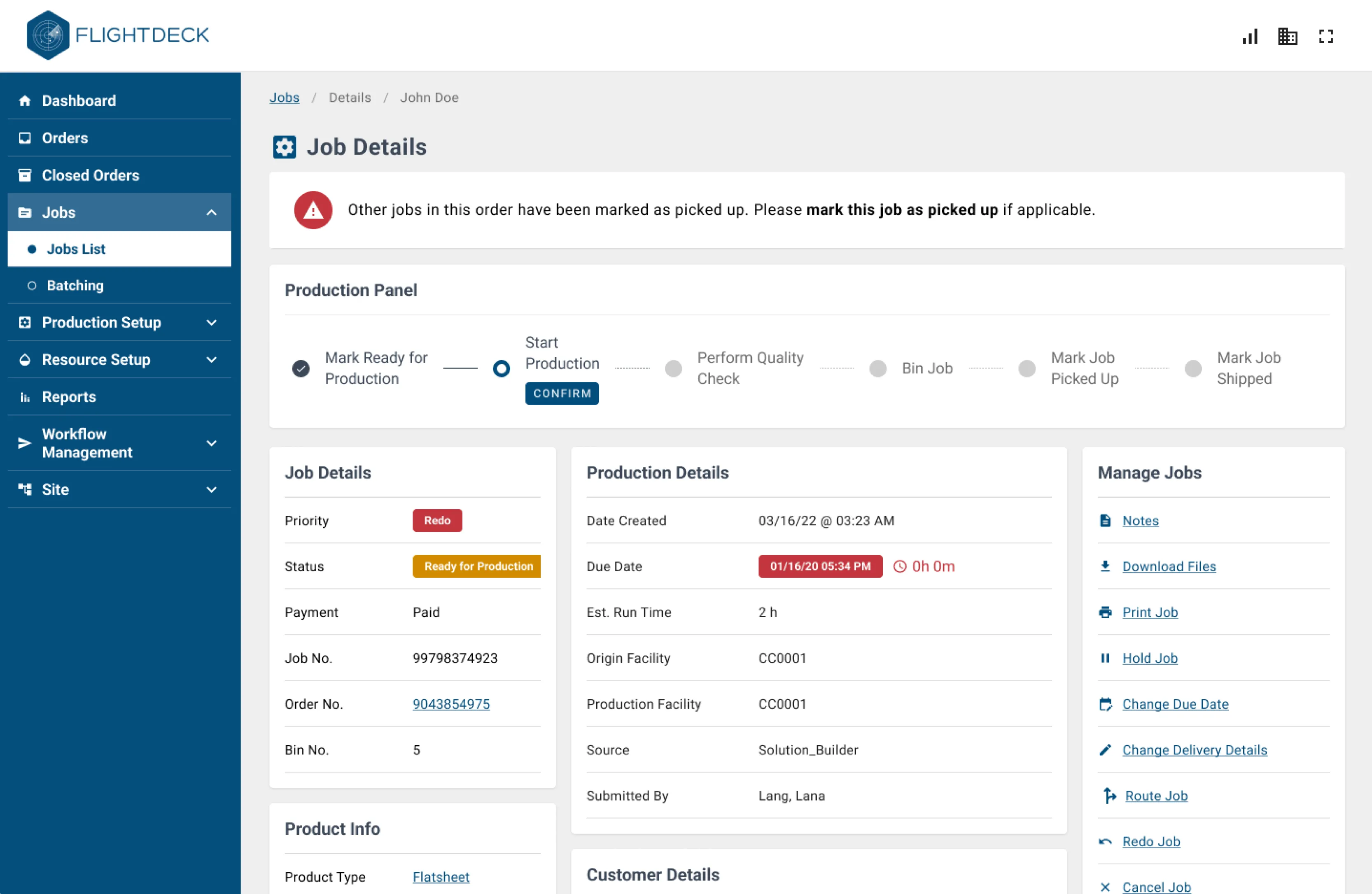
Job Details

The enhancement made job details easier to access and print. Connecting the digital workflow with the physical workflow happening in the store.

09

The Impact

Early rollout showed measurable workflow improvements

The feature had not yet launched across all stores, but early rollout stores showed promising results.

-15%

Print Errors

Clearer production actions and better workflow support helped reduce errors during the print process.

-20%

Production Time

By reducing manual steps and supporting more of the workflow inside Flightdeck, associates were able to move jobs through production more efficiently.

Strong adoption in rollout stores

For every job printed manually in stores, around 50 were sent through the new Flightdeck workflow.

Better tracking of errors and reprints

The workflow gave teams a clearer way to track print errors, reprints, and production activity inside the print department.

More Projects

Bridging the gap between digital and printed results

A Systemic Approach to Human-AI Collaboration

Explore
Drag